

.h vs .hpp
In a project, you often see files with .h and .hpp extensions. What is the difference between them?
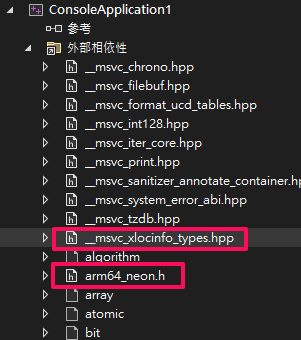
.hpp and .h files are essentially the same
.hpp and .h files serve the same fundamental purpose in C++ and C languages: they are header files used to define function prototypes, class declarations, constants, and macro definitions. The main difference lies in their naming conventions and historical usage.
h files
Extension: .h is the standard extension used historically for C language header files, representing “header”. Usage: .h files typically contain C function prototypes, constants, macro definitions, and structure declarations, providing an interface for other source files. .hpp files
Extension: .hpp is a relatively newer extension, commonly used for C++ header files. It stands for “header plus plus”, indicating it is a C++ header file. Usage: .hpp files also contain class declarations, function prototypes, constants, and macro definitions but are more commonly used in C++ to provide an interface for C++ classes.
Modern Convention and Recommendation
In C++ projects, the .hpp extension is more common and is recommended for C++ header files. In C projects, the .h extension remains the standard and is widely accepted.
A Quick Note on External Dependencies in C++ When you use #include in C++, “External Dependencies” automatically includes the headers you reference and their related dependencies.
Simple Hello World Example
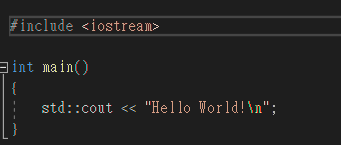
Just by including #include <iostream>, you can see numerous dependencies added under “External Dependencies”.
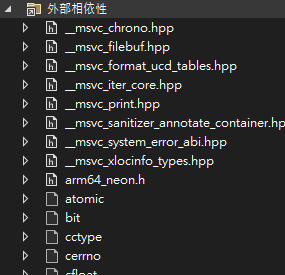
#include <iostream> #include <algorithm>
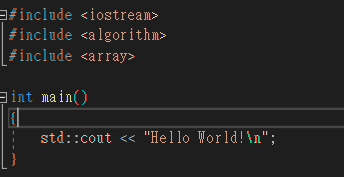
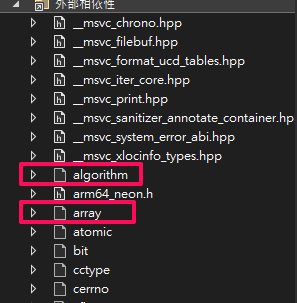
As your project grows and you have includes scattered throughout your files, “External Dependencies” can help you track all dependencies, though the list might be larger than you expect.