

CORS(Cross-Origin Resource Sharing)
CORS (Cross-Origin Resource Sharing) is a browser security feature that restricts how web scripts can interact with server resources from different domains. If you are building a front-end and back-end separated application, with the front-end and back-end located on different domains (or ports), you need to configure CORS.
Why?
In simple terms, if request sources are not restricted, any unknown sources can send requests as long as they know the URL, and the server will obediently send the data back to them. This can easily lead to security issues if sensitive data is involved.
Configuring CORS in FastAPI is very simple.
Fastapi codes(Back-End)
The following code demonstrates what errors occur on the front-end if CORS is not set up.
The main functionality is an Item class that allows the front-end to make CRUD (Create, Read, Update, Delete) requests.
1
2
3
4
5
6
7
8
9
10
11
12
13
14
15
16
17
18
19
20
21
22
23
24
25
26
27
28
29
30
31
32
33
34
35
36
37
38
39
from fastapi import FastAPI, HTTPException
from pydantic import BaseModel

app = FastAPI()

class Item(BaseModel):
    id: int
    name: str
    description: str = None

items = {}

@app.post("/items/")
def create_item(item: Item):
    if item.id in items:
        raise HTTPException(status_code=400, detail="Item already exists")
    items[item.id] = item
    return item

@app.get("/items/{item_id}")
def read_item(item_id: int):
    if item_id not in items:
        raise HTTPException(status_code=404, detail="Item not found")
    return items[item_id]

@app.put("/items/{item_id}")
def update_item(item_id: int, item: Item):
    if item_id not in items:
        raise HTTPException(status_code=404, detail="Item not found")
    items[item_id] = item
    return item

@app.delete("/items/{item_id}")
def delete_item(item_id: int):
    if item_id not in items:
        raise HTTPException(status_code=404, detail="Item not found")
    del items[item_id]
    return {"detail": "Item deleted"}
front-end codes
1
2
3
4
5
6
7
8
9
10
11
12
13
14
15
16
17
18
19
20
21
22
23
24
25
26
27
28
29
30
31
32
33
34
35
36
37
38
39
40
41
42
43
44
45
46
47
48
49
50
51
52
53
54
55
56
57
58
59
60
61
62
63
64
65
66
67
68
69
70
71
72
73
74
75
<!DOCTYPE html>
<html>
<head>
    <title>FastAPI CRUD Operations</title>
    <script>

        const baseURL = 'http://localhost:8000';

        async function createItem() {
            const id = document.getElementById('create-id').value;
            const name = document.getElementById('create-name').value;
            const description = document.getElementById('create-description').value;

            const response = await fetch(`${baseURL}/items/`, {
                method: 'POST',
                headers: { 'Content-Type': 'application/json' },
                body: JSON.stringify({ id: parseInt(id), name: name, description: description })
            });
            const result = await response.json();
            alert(JSON.stringify(result));
        }

        async function readItem() {
            const id = document.getElementById('read-id').value;
            const response = await fetch(`${baseURL}/items/${id}`, { method: 'GET' });
            const result = await response.json();
            alert(JSON.stringify(result));
        }

        async function updateItem() {
            const id = document.getElementById('update-id').value;
            const name = document.getElementById('update-name').value;
            const description = document.getElementById('update-description').value;

            const response = await fetch(`${baseURL}/items/${id}`, {
                method: 'PUT',
                headers: { 'Content-Type': 'application/json' },
                body: JSON.stringify({ id: parseInt(id), name: name, description: description })
            });
            const result = await response.json();
            alert(JSON.stringify(result));
        }

        async function deleteItem() {
            const id = document.getElementById('delete-id').value;
            const response = await fetch(`${baseURL}/items/${id}`, { method: 'DELETE' });
            const result = await response.json();
            alert(JSON.stringify(result));
        }
    </script>
</head>
<body>
    <h1>FastAPI CRUD Operations</h1>

    <h2>Create Item</h2>
    <label>ID:</label><input type="text" id="create-id"><br>
    <label>Name:</label><input type="text" id="create-name"><br>
    <label>Description:</label><input type="text" id="create-description"><br>
    <button onclick="createItem()">Create</button><br>

    <h2>Read Item</h2>
    <label>ID:</label><input type="text" id="read-id"><br>
    <button onclick="readItem()">Read</button><br>

    <h2>Update Item</h2>
    <label>ID:</label><input type="text" id="update-id"><br>
    <label>Name:</label><input type="text" id="update-name"><br>
    <label>Description:</label><input type="text" id="update-description"><br>
    <button onclick="updateItem()">Update</button><br>

    <h2>Delete Item</h2>
    <label>ID:</label><input type="text" id="delete-id"><br>
    <button onclick="deleteItem()">Delete</button><br>
</body>
</html>
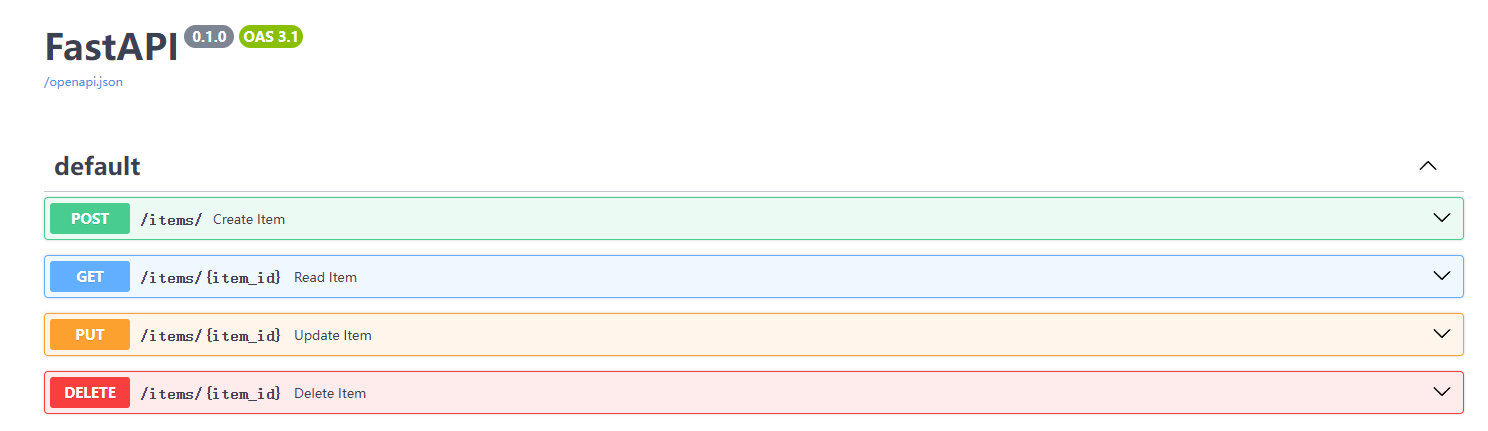
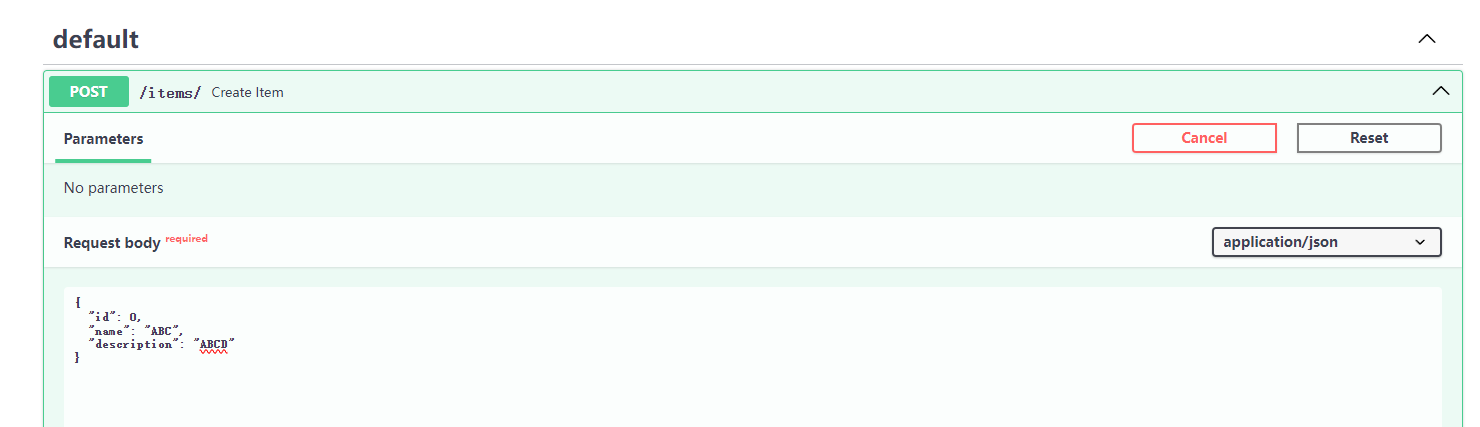
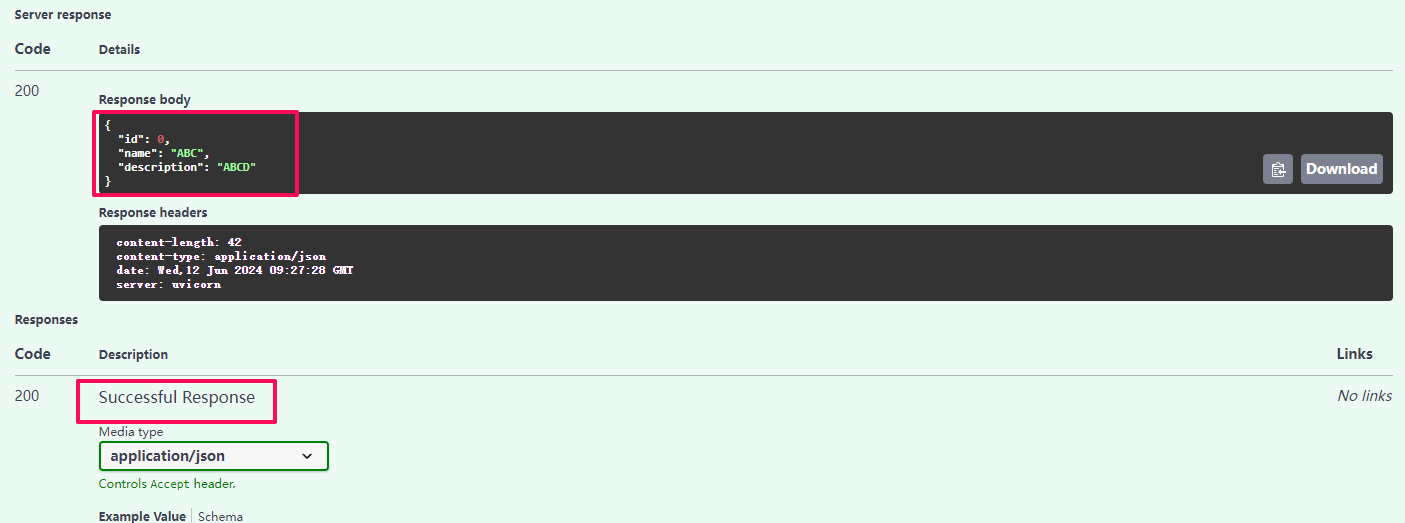
Using OpenAPI to automatically generate interactive documentation, add data first, and then let the front-end read it.
Add an Item record
Successfully added
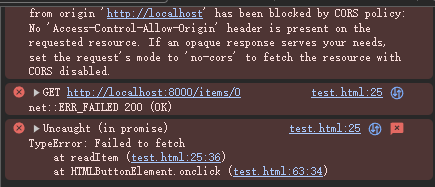
Now using the front-end to Get, the server is okay

But the front-end has a CORS error
Add the following snippet
1
2
3
4
5
6
7
8
9
10
11
12
13
14
15
16
17
18
from fastapi.middleware.cors import CORSMiddleware

app = FastAPI()

# Configure CORS middleware
app.add_middleware(
    CORSMiddleware,
    allow_origins=["http://localhost"],  # Allowed origins
    allow_credentials=True,
    allow_methods=["*"],
    allow_headers=["*"],
)

# 1. allow_origins: A list of allowed origins. You can use ["*"] to allow all origins, but it should be avoided in production.
# 2. allow_credentials: Whether to allow sending requests with credentials (e.g., cookies or HTTP authentication).
# 3. allow_methods: A list of allowed HTTP methods such as ["GET", "POST"]. You can use ["*"] to allow all methods.
# 4. allow_headers: A list of allowed HTTP headers such as ["Content-Type", "Authorization"]. You can use ["*"] to allow all headers.
Query the previously added data
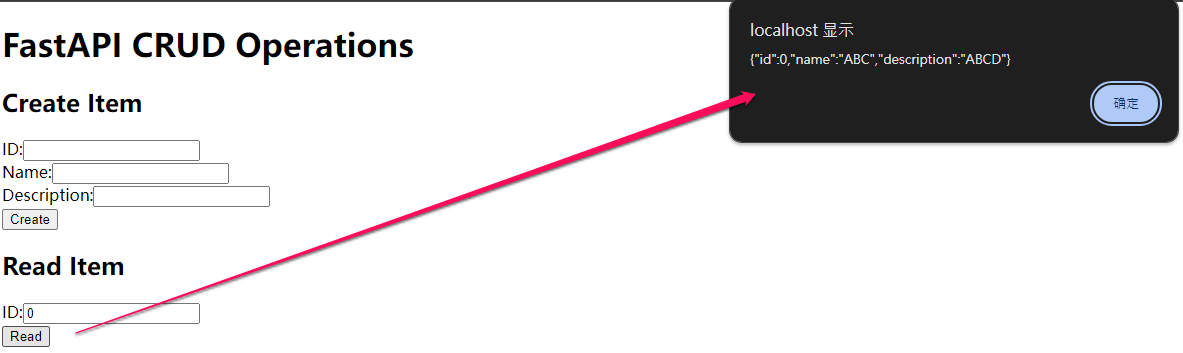
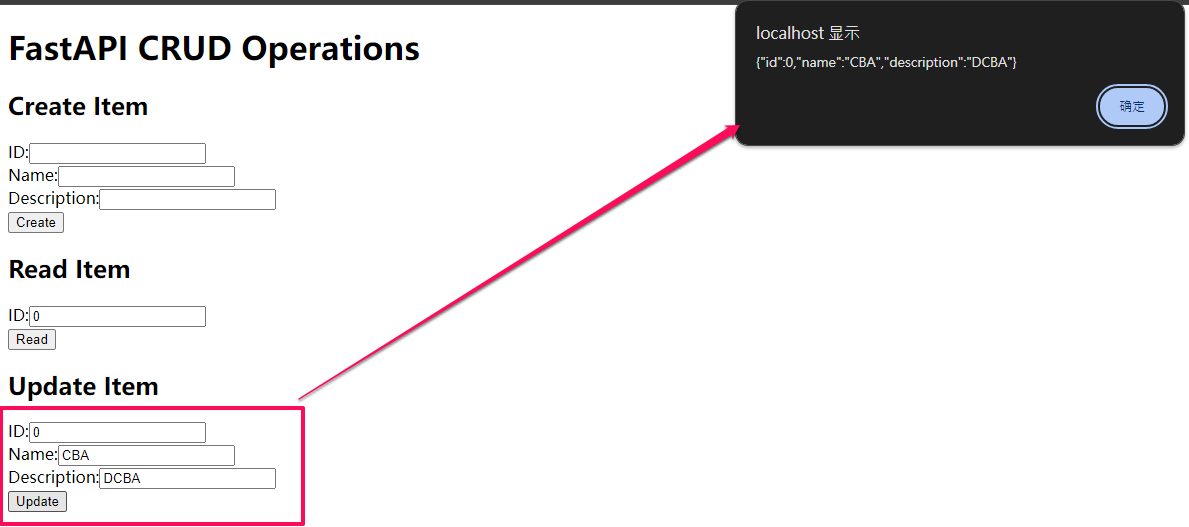
Update the record
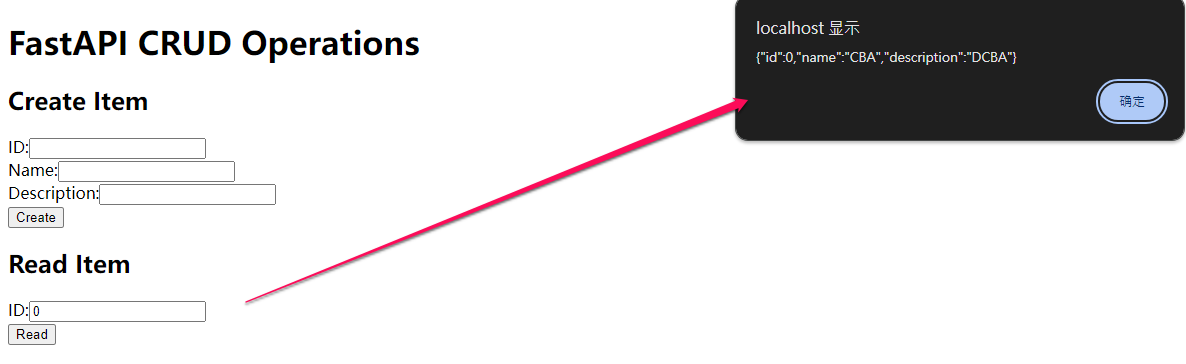
Query again to confirm the update
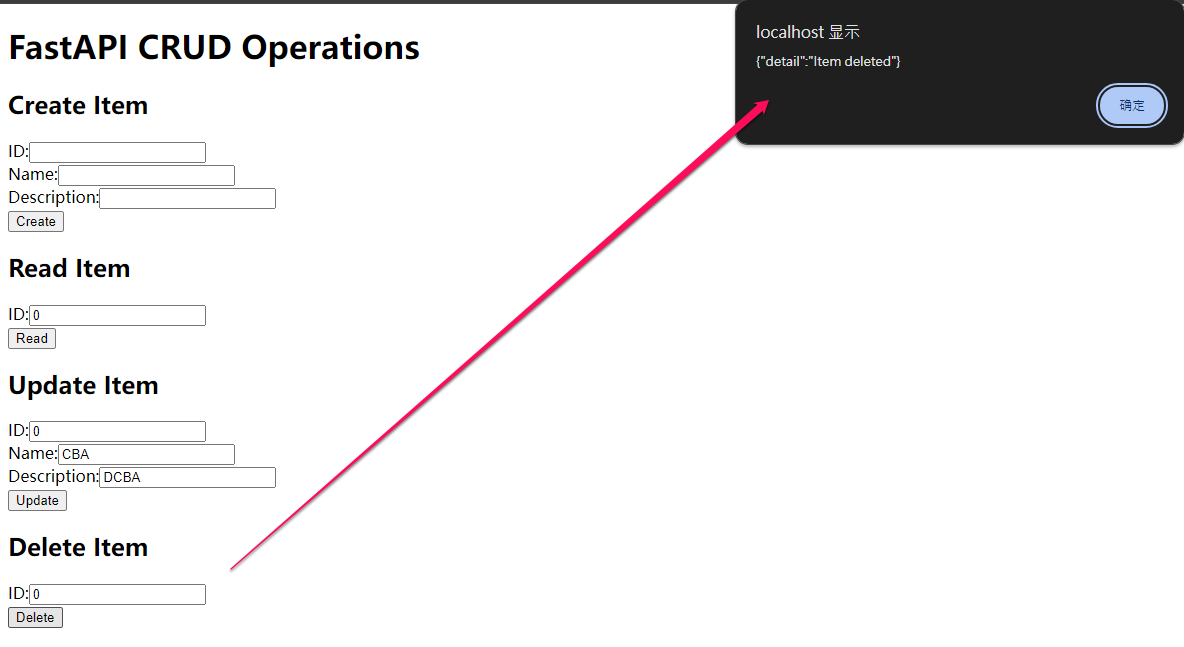
Delete the record
Query again, the record has disappeared
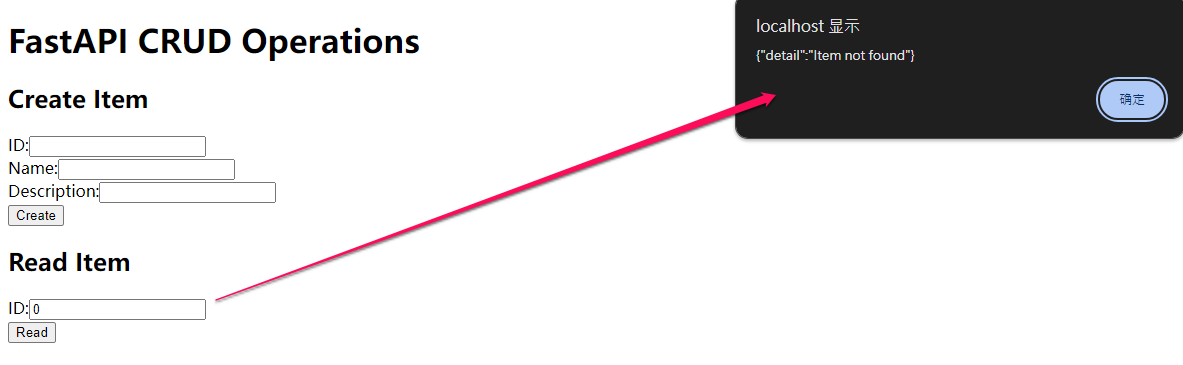
With this setup, the full CRUD functionality is achieved!