
事前準備
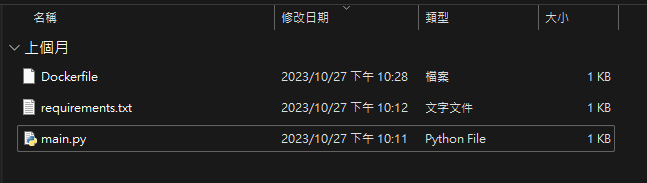
建立資料夾例如 : eddie-fastapi-test,然後新增3個檔案,Dockerfile、requirements.txt、main.py
Dockerfile
1
2
3
4
5
6
7
8
9
10
11
12
13
14
15
FROM tiangolo/uvicorn-gunicorn-fastapi:python3.9

# 將專案複製到容器中
COPY . /app

# 安裝必要的套件
RUN pip install --upgrade pip
COPY requirements.txt .
RUN pip install -r requirements.txt

# 開放指定的埠號,讓容器外的系統能夠訪問應用程式
EXPOSE 8080

# 啟動 FastAPI 應用程式
CMD ["uvicorn", "main:app", "--host", "0.0.0.0", "--port", "8080"]
requirements.txt
1
2
fastapi
uvicorn
main.py
1
2
3
4
5
6
7
8
9
10
11
from fastapi import FastAPI

app = FastAPI()

@app.get("/")
def read_root():
    return {"Hello": "World"}

if __name__ == "__main__":
    import uvicorn
    uvicorn.run(app, host="0.0.0.0", port=8000)