
Who Needs to Learn Version Control?
Anyone! If your files need to be modified and can’t be completed in one go, you need version control. Applications include: theses (especially when dealing with picky professors), code, large reports, etc.
If your files need collaborative work among multiple people, then version control is a must. Life is precious, don’t waste time managing versions.
Git is a distributed version control system used to track and manage code changes. Its main function is to record the history of files, enabling multiple developers to work together while maintaining code consistency and traceability.
Challenges of Learning Git! (Actually, it’s not that hard, believe me!!!)
Looking at Git from the perspective of an average person, there are many reasons that make it daunting. There are too many terms: Repository, Branch, Commit, Merge, Push, Pull, Add, Master, etc.
Forget about remembering them, let alone using them. However, if you go through examples and actually perform the operations, many concepts become clear, and you don’t even need to memorize those terms.
Important Note
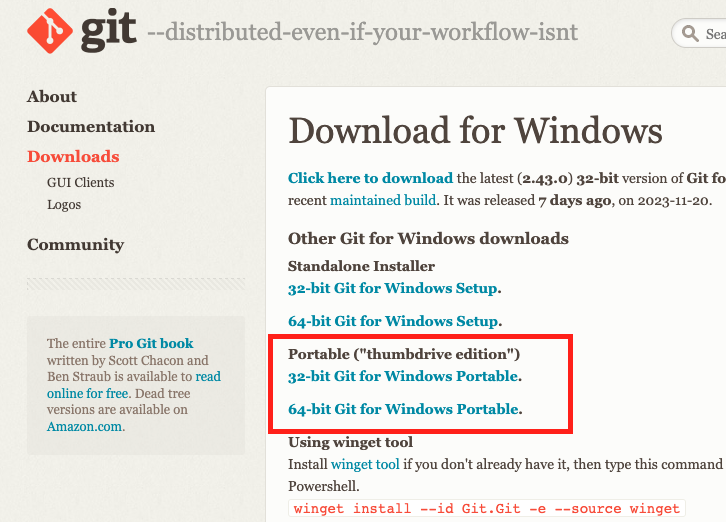
The followingGittutorial only requires installing one program. If you don’t want to install, you can download the portable version for Windows and unzip it.
Use case: Developing and modifying files alone on your computer, needing version control.
Demonstration
Here’s a demonstration of creating a file, making three modifications, and switching between versions.
Step 1:
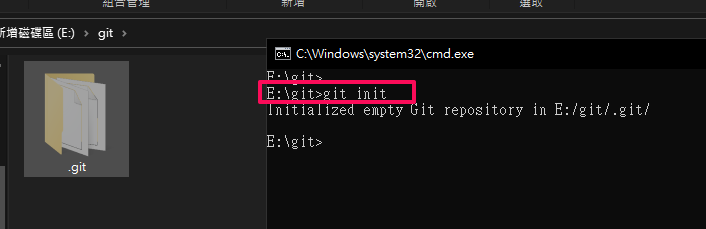
Create a .git folder: Go to the folder where version control is desired. Command
1
git init
Step 2:
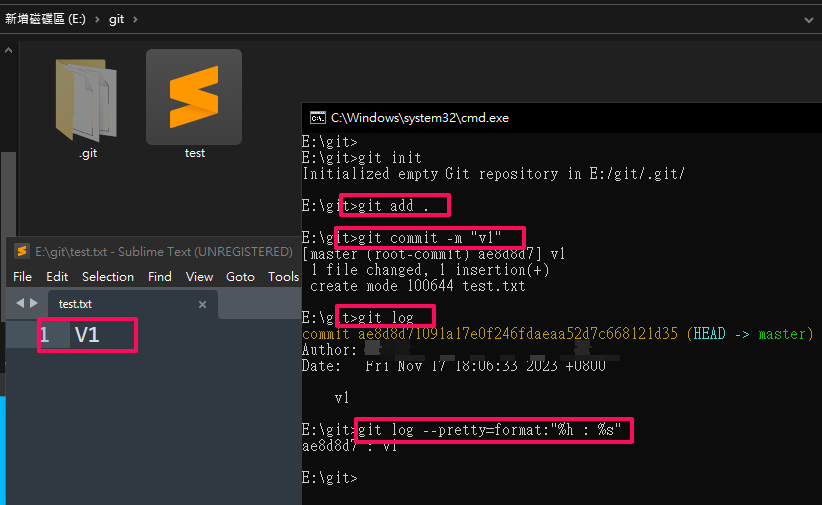
First modification: Add the file to be committed. Command
1
git add .
Commit, “committed message” -> Write information to remind your future self. Don’t write something even you can’t understand, e.g., “Change content”, “Modify annoying parts”, etc.
1
git commit -m " committed  message"
You can see the information of the commit you just made.
1
git log
It’s recommended to use the following command to see the log, as it provides a simpler and clearer layout.
1
git log --pretty=format:"%h %an %ar - %s"
Step 3:
Second modification: After editing the file, add the file to be committed.
1
git add .
Note: At this point, you can see the differences between the file to be committed and the previous version.
1
git diff –staged
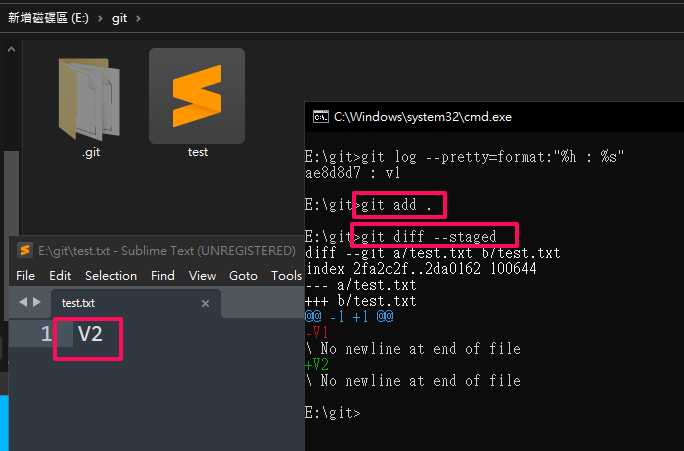
Step 4:
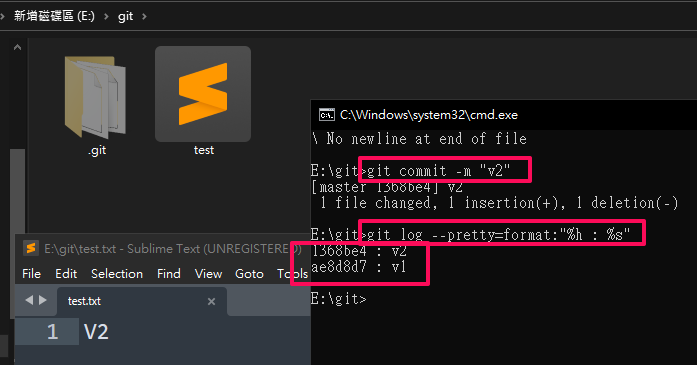
Third modification
Step 5:
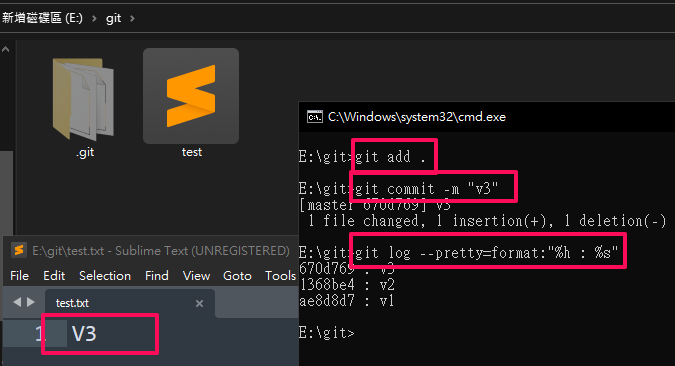
Step 6:
Let’s start switching versions.
1
git checkout your_commit_ID
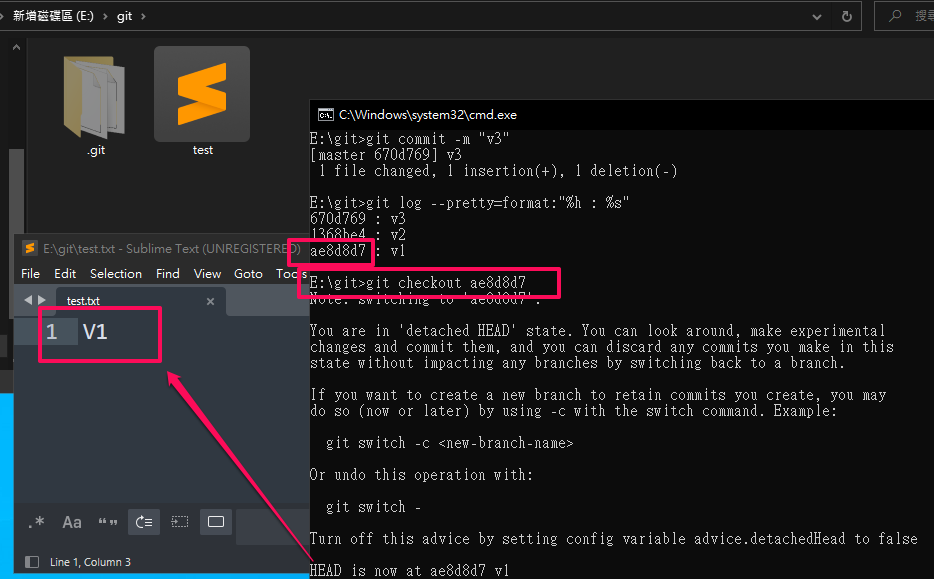
Step 7:
Use git log to see which commit state you’re in.
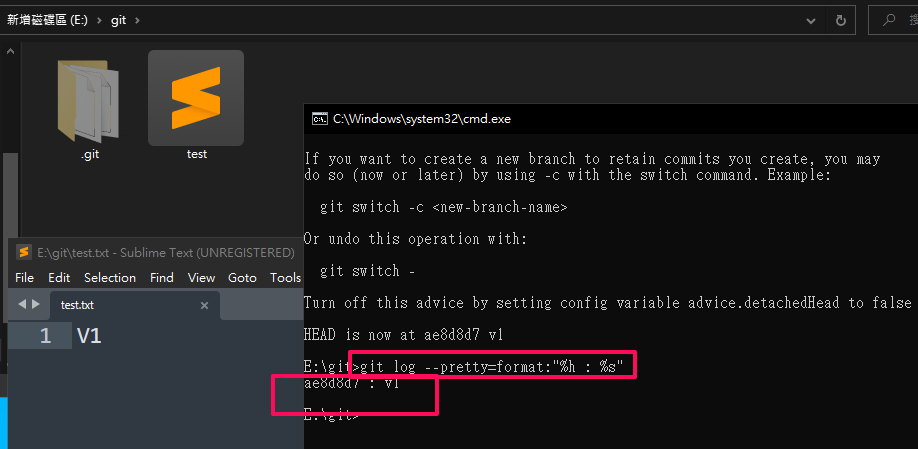
Step 8:
Go directly back to the latest version.
1
git checkout master
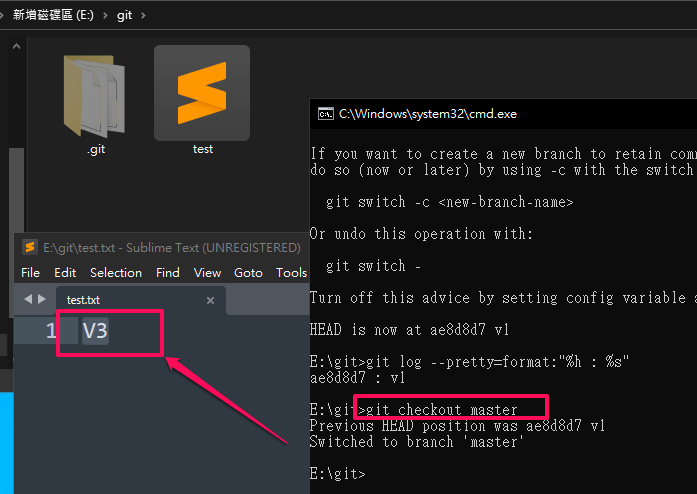
Step Step 9:
When there are local modifications, switching to other commit states is not allowed.
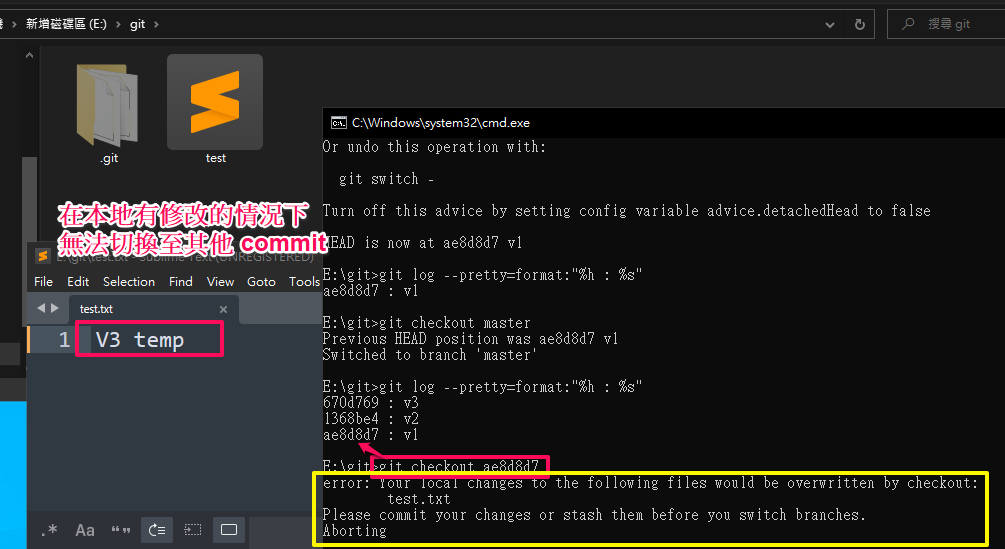
Step 10:
Solution: Discard current local modifications.
Command
1
git checkout -- .
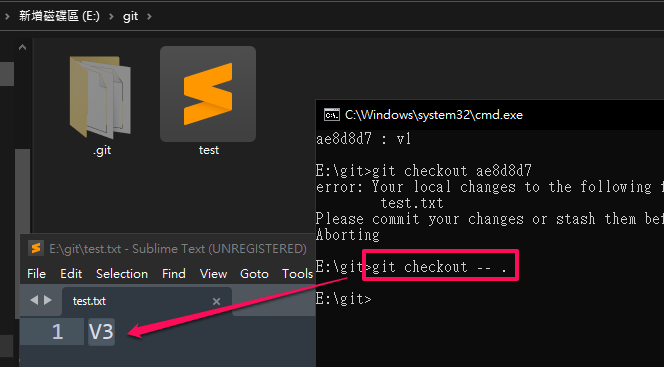
Completion !!
All the operations above are done locally, without involving a network repository. I hope this simple operation demonstration helps you understand the functionality of version control and the power of Git, allowing you to explore Git when you have time.
To upload local version control records to the network, just find a place on the network to store these records. Let’s talk about that next time!