
PyInstaller
Python offers a lot of convenience and powerful modules, which is why many people use Python to write small tools. But once you have written your tool, how do you share it with others? Installing Python on other computers? That’s too troublesome. pyinstaller can solve this problem!
PyInstaller is a tool that packages Python applications into standalone executables. It supports Windows, Linux, and macOS.
Here, I will introduce the basic usage of PyInstaller and some common options.
Let’s demonstrate the packaging process.
Applications without GUI
Here are two Python files, main.py imports MyClass:
my_class.py
1
2
3
4
5
class MyClass():
    def __init__(self, name):
        self.name = name
    def showName(self):
        print(self.name)
main.py
1
2
3
4
5
6
from my_class import MyClass

obj = MyClass("ABC")
obj.showName()

input("Wait for user input")
Use the following command to package
1
pyinstaller --onefile --name myapp --add-data "my_class.py:." main.py
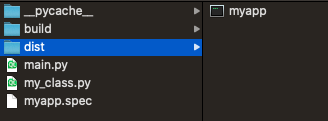
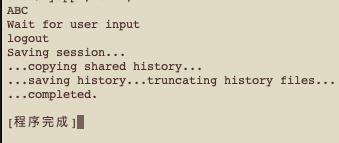
Execution result
Applications with GUI
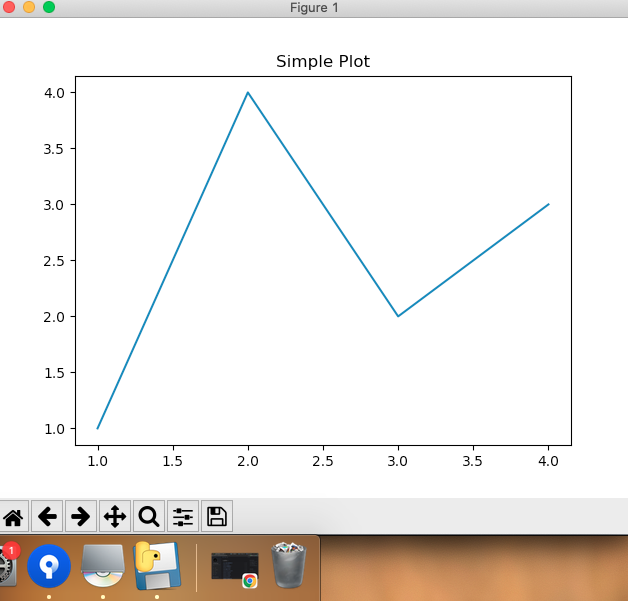
The following code demonstrates using Python’s most common library, matplotlib, to draw a simple plot
1
2
3
4
5
6
7
8
9
10
11
# main.py
import matplotlib.pyplot as plt

def main():
    # plot simple graph
    plt.plot([1, 2, 3, 4], [1, 4, 2, 3])
    plt.title('Simple Plot')
    plt.show()

if __name__ == "__main__":
    main()
Use the following command to package
1
pyinstaller --onefile --noconsole main.py
The –noconsole option indicates that your application does not use the console.
After packaging, an executable file is generated
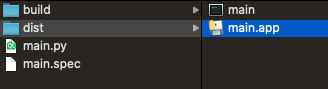
Execution result
Explanation
Assume your file structure is as follows (all files in the same folder):
- main.py
- module1.py
- module2.py
- myicon.ico
- config.txt
You want to package these files into a single executable file, add an icon, and hide the console window. You can use the following command:
1
pyinstaller --onefile --icon=myicon.ico --noconsole --add-data "module1.py:." --add-data "module2.py:." --add-data "config.txt:." main.py
If you have sharp eyes, you might notice that after packaging, a main.spec file will be generated in the folder (the name may vary based on your settings).
The contents of main.spec allow you to control the packaging process more precisely. After modifying main.spec, you can use the following command to package:
1
pyinstaller main.spec
That’s all!