Sitemap Explanation
A “Sitemap” is a file used to provide information about a website, where you can list details of web pages, videos, and other files, presenting the relationships between these contents. Search engines like Google read a website’s Sitemap file to retrieve the site more efficiently. The Sitemap not only informs Google about the important web pages and files on the site but also provides valuable information for these files, such as the last time a webpage was updated and whether there are other language versions available. (Taken from Google’s website documentation)
Finding a Sitemap
1.You can find the sitemap.xml file under the _site folder.
2.Once you have the code, you can upload it to the cloud, and the file location will be at https://{domain name}/sitemap.xml, where you can view the generated file.
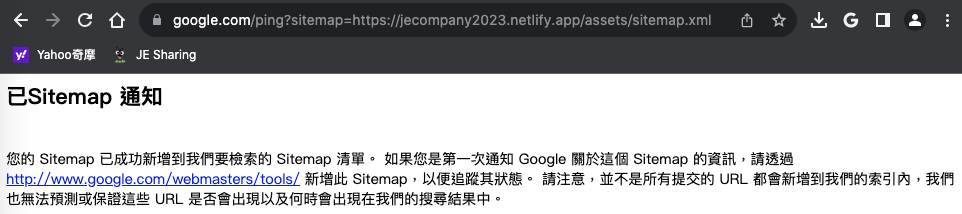
3.Then, enter the URL https://www.google.com/ping?sitemap=https://example.com/sitemap.xml.
Sitemap Format
1
2
3
4
5
6
7
8
9
---
<?xml version="1.0" encoding="UTF-8"?>
<urlset xmlns:xsi="http://www.w3.org/2001/XMLSchema-instance" xsi:schemaLocation="http://www.sitemaps.org/schemas/sitemap/0.9 http://www.sitemaps.org/schemas/sitemap/0.9/sitemap.xsd" xmlns="http://www.sitemaps.org/schemas/sitemap/0.9">
<url>
<loc>http://0.0.0.0:4000/posts/%E5%A6%82%E4%BD%95%E4%BD%BF%E7%94%A8-Jekyll-theme-%E5%BF%AB%E9%80%9F%E5%BB%BA%E7%AB%8B%E4%B8%80%E5%80%8B%E6%BC%82%E4%BA%AE%E7%B6%B2%E7%AB%99/</loc>
<lastmod>2023-08-07T11:33:00+08:00</lastmod>
</url>
</urlset>
---