sitemap 說明
「Sitemap」是一種用來提供網站資訊的檔案,您可以在其中列出網頁、影片和其他檔案的資訊,並呈現這些內容彼此間的關係。Google 等搜尋引擎都會讀取網站的 Sitemap 檔案,藉此以更有效率的方式檢索網站。Sitemap 不僅會將網站上有哪些重要網頁和檔案告訴 Google,還會針對這類檔案提供有價值的資訊,例如網頁上次更新的時間,以及是否有其他語言版本。(取自google 網站說明)
尋找 sitemap
1.在 _site 資料夾底下會看到 sitemap.xml
2.程式碼就可以丟上雲端,檔案位置在 https://{domain name 網域}/sitemap.xml 就可以看到產好的檔案
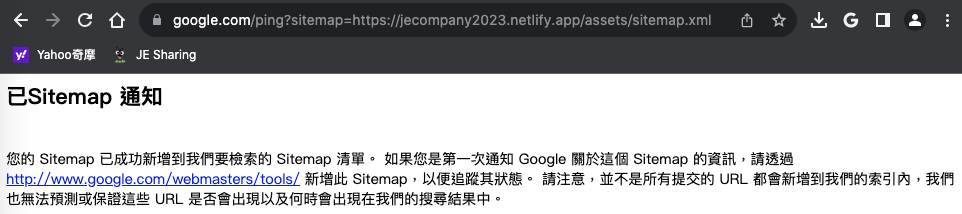
3.然後輸入網址 https://www.google.com/ping?sitemap=https://example.com/sitemap.xml
sitemap 格式
1
2
3
4
5
6
7
8
9
---
<?xml version="1.0" encoding="UTF-8"?>
<urlset xmlns:xsi="http://www.w3.org/2001/XMLSchema-instance" xsi:schemaLocation="http://www.sitemaps.org/schemas/sitemap/0.9 http://www.sitemaps.org/schemas/sitemap/0.9/sitemap.xsd" xmlns="http://www.sitemaps.org/schemas/sitemap/0.9">
<url>
<loc>http://0.0.0.0:4000/posts/%E5%A6%82%E4%BD%95%E4%BD%BF%E7%94%A8-Jekyll-theme-%E5%BF%AB%E9%80%9F%E5%BB%BA%E7%AB%8B%E4%B8%80%E5%80%8B%E6%BC%82%E4%BA%AE%E7%B6%B2%E7%AB%99/</loc>
<lastmod>2023-08-07T11:33:00+08:00</lastmod>
</url>
</urlset>
---